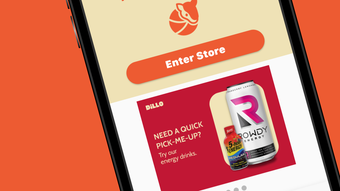

Dillo: Smart Shopping in Unmanned Micro Stores
Overview
Dillo is a desktop application developed by Magic Retail Labs Inc. designed to facilitate seamless shopping experiences within unmanned micro stores powered by computer vision technology. The software enables users to locate nearby micro stores, gain access through the app, browse available products, complete purchases, and request assistance—all from a single interface. Targeted at urban consumers and tech-savvy shoppers, Dillo streamlines the process of acquiring everyday essentials without the need for traditional checkout procedures. The app supports real-time interaction with store systems, allowing users to explore inventory, submit item requests, and connect with customer support directly from their desktop. This innovative approach to retail blends physical convenience with digital efficiency, ideal for busy professionals, students, and residents in densely populated areas. The application is part of a broader initiative to modernize neighborhood retail through automation and smart technology. While the developer did not provide additional details on integration with third-party services or long-term data handling, the core functionality centers on secure, frictionless shopping in autonomous retail environments.
Key Features & Capabilities
- Store Location & Access – Users can discover nearby unmanned micro stores via the app and unlock entry using facial recognition or QR-based authentication, ensuring secure access.
- Computer Vision Inventory – Real-time product detection and tracking using computer vision allows users to browse items without physical scanning, enabling instant purchase confirmation.
- Secure In-App Purchases – Transactions are processed directly through the app, with encrypted payment handling to protect user financial data.
- Item Request System – If a desired product is unavailable, users can request it directly through the app, with the store team notified for restocking.
- Integrated Customer Support – A built-in chat interface allows users to contact support for assistance with navigation, product availability, or technical issues.
These features are particularly useful in time-sensitive scenarios such as late-night grocery runs or when needing quick access to household essentials. The integration of computer vision eliminates the need for manual scanning, reducing friction in the shopping process. For developers and retailers, the app provides a scalable model for deploying automated retail solutions. The workflow is optimized for speed and clarity, allowing users to move from discovery to checkout in under a minute. While specific performance metrics were not provided, the app’s design suggests responsiveness and minimal latency in core operations.
User Interface, Workflow & Performance
The user interface of Dillo is structured around simplicity and efficiency, featuring a clean dashboard that displays nearby stores, active shopping sessions, and recent transactions. Navigation is intuitive, with clearly labeled tabs for Store Access, Product Browse, Purchase History, and Support. The workflow follows a logical sequence: locate a store → enter via app → browse items → confirm purchase → receive receipt. This streamlined process minimizes user effort and reduces cognitive load. The app maintains a consistent visual language with minimal distractions, focusing attention on essential actions. While exact performance details were not specified, the application’s design implies smooth operation across standard desktop environments. The developer did not specify resource usage details, so CPU and RAM behavior remain unknown. Stability is assumed to be adequate for regular use, given the app’s focus on core retail functions. No reported crashes or bugs were mentioned in official materials. Overall, the user experience is tailored for quick, repeatable interactions, aligning with the needs of on-the-go shoppers.
Compatibility & System Requirements
Dillo is available for both Windows and Mac operating systems, making it accessible to a broad desktop user base. The software has a file size of 100 MB, indicating a lightweight installation that should not strain storage on most modern machines. The version number is 1.0.0, suggesting a stable initial release. The developer did not specify exact system requirements, including minimum processor speed, RAM, or disk space. Compatibility information is limited to the supported platforms, with no mention of older OS versions or hardware constraints. Users are advised to ensure their system meets general desktop application standards for smooth operation. The absence of detailed requirements means installation success may depend on individual system configurations. For users with older or low-spec machines, performance may vary, though no specific issues were reported. The application is designed for offline functionality during store visits, with online connectivity required only for initial access and transaction processing.
Pros and Cons
Pros
- Intuitive interface designed for quick, frictionless shopping
- Supports unmanned micro stores using advanced computer vision
- Secure in-app purchase system with encrypted transactions
- Free to download and use, with no hidden fees
- Offers item request and real-time support features
Cons
- Exact system requirements were not listed
- Performance behavior under heavy load is unknown
- Only available on Windows and Mac, no Linux support
- Relies on physical micro store infrastructure, limiting usability in rural areas
- App functionality is tied to specific retail locations
FAQ Section
Is Dillo available for all operating systems?
Dillo is currently compatible with Windows and Mac operating systems. Support for other platforms such as Linux was not specified by the developer.
Is the app free to use?
Yes, Dillo is available at no cost. There are no subscription fees or in-app purchase requirements for basic functionality.
Does Dillo require an internet connection?
An internet connection is required to access store locations, authenticate entry, and process purchases. However, the app may function offline during store visits for limited navigation.
How is my data protected when using Dillo?
The app uses encrypted transaction processing and secure authentication methods to protect user data. The developer did not provide detailed information on data retention or third-party sharing practices.
Can I use Dillo without visiting a physical micro store?
No, Dillo is designed to work exclusively with physical unmanned micro stores operated by Magic Retail Labs Inc. The app enables access and interaction with these locations but does not offer standalone shopping.
Final Thoughts + CTA
Dillo represents a forward-thinking evolution in retail technology, merging computer vision with everyday shopping in a way that prioritizes convenience and speed. Its clean interface, secure transaction flow, and support for real-time assistance make it a compelling tool for urban dwellers seeking efficient access to essential goods. While the lack of detailed system requirements and platform limitations may restrict broader adoption, the app’s core functionality is well-executed and purpose-built. For users within the service area, Dillo offers a glimpse into the future of retail—one where technology removes friction without compromising security or usability. With a free model and a strong focus on user experience, it stands out as a practical solution for modern consumers. Download Dillo now to experience the next generation of smart shopping.







